Candle close alarms
Any timeframe, from 1 minute to daily. Ring at the close, or as early as you like.
A candle-close alarm and sessions clock for futures and forex traders. It rings even when your iPhone is on Silent or locked.
No charts to stare at. Just the bell.
The iPhone beta is open. Leave your email and we'll send a TestFlight invite when a spot opens.
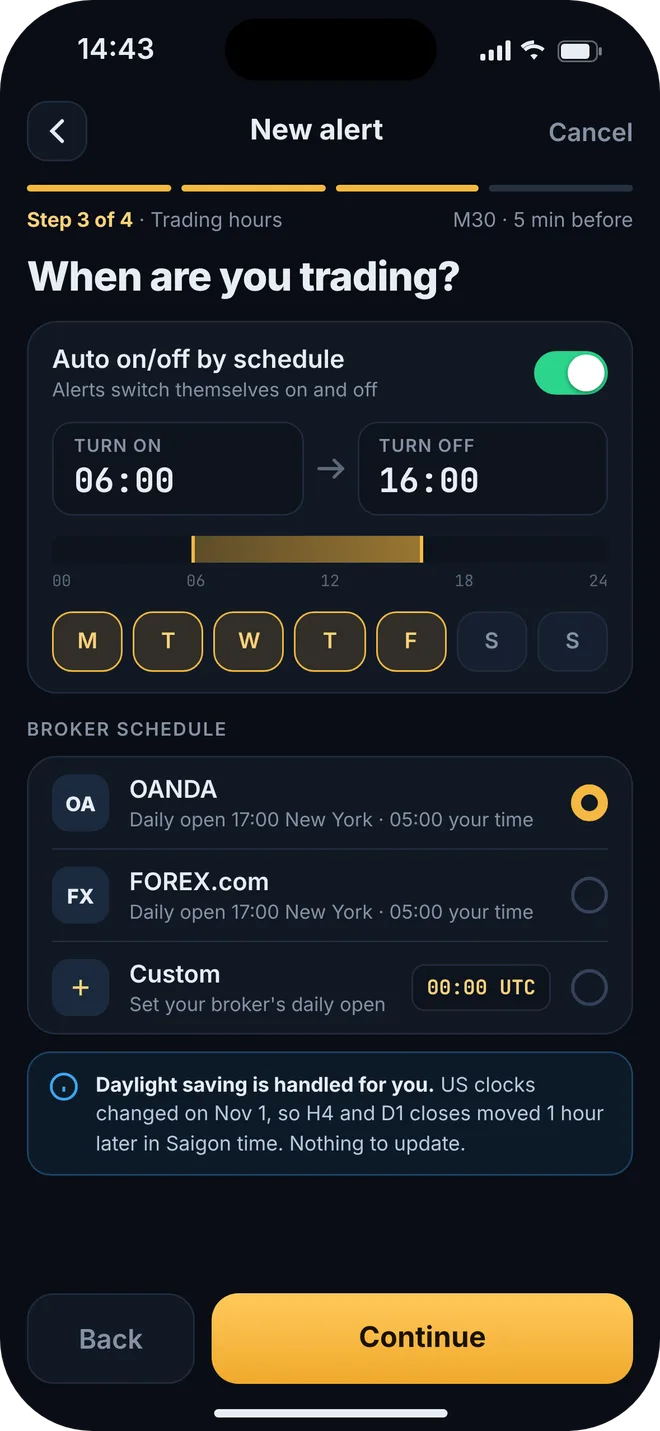
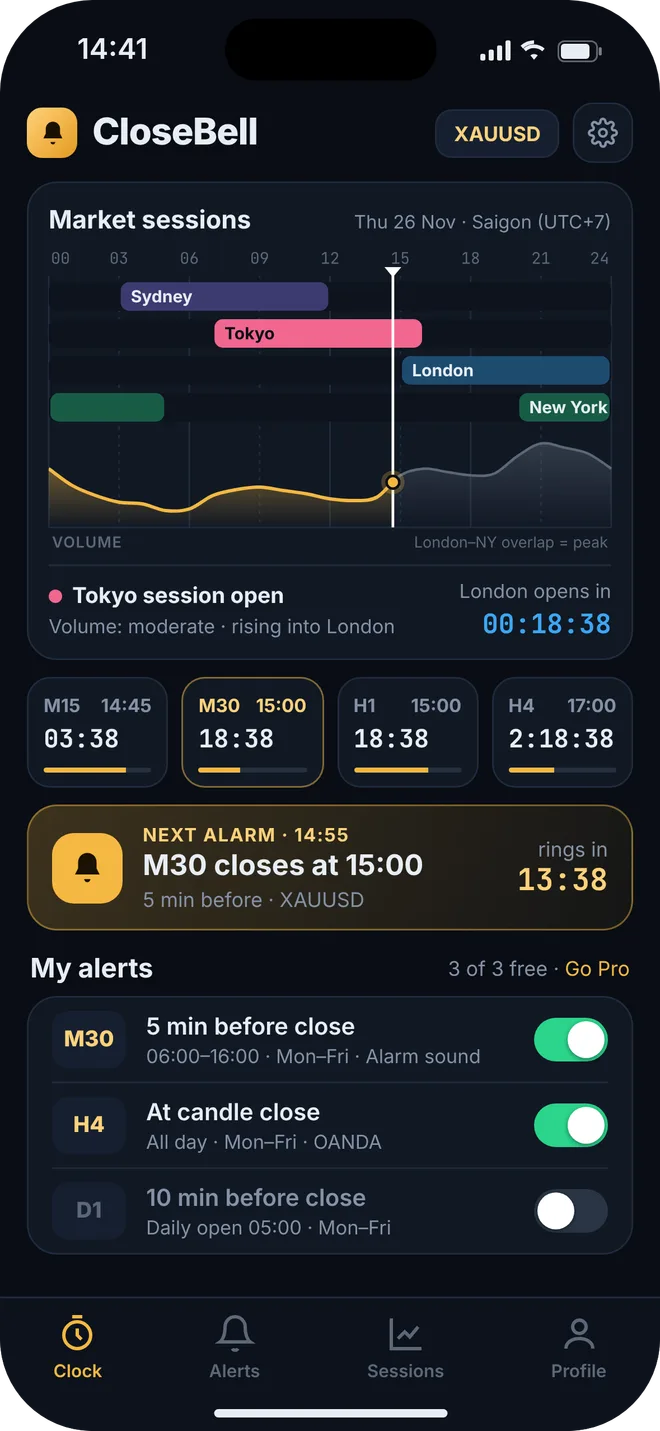
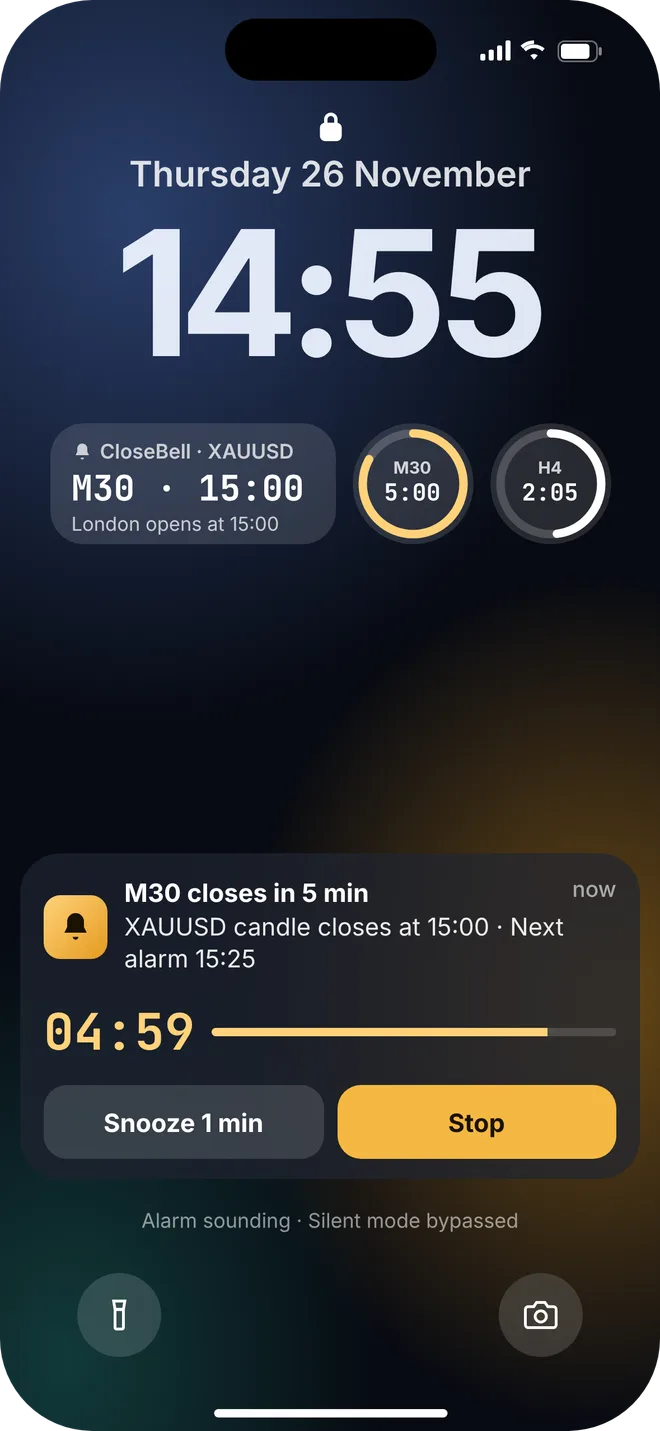
Everything in CloseBell helps you be at the screen at the moment that matters, and nothing else.
Any timeframe, from 1 minute to daily. Ring at the close, or as early as you like.
Alarms sound through Silent mode, Focus and the lock screen, so a muted phone never costs you the close.
Sydney, Tokyo, London and New York on one timeline, with overlaps and typical volume, in your own time zone.
Alerts switch themselves on and off around the hours and days you actually trade. Weekends stay quiet.
OANDA, FOREX.com, or your broker's own daily open. Daylight saving is handled for you. Nothing to update.
A countdown to the next close and the live session, right where you already look.
Real screens from the iPhone beta. A sessions clock, a simple alarm setup, and a bell that gets through when the phone is locked.
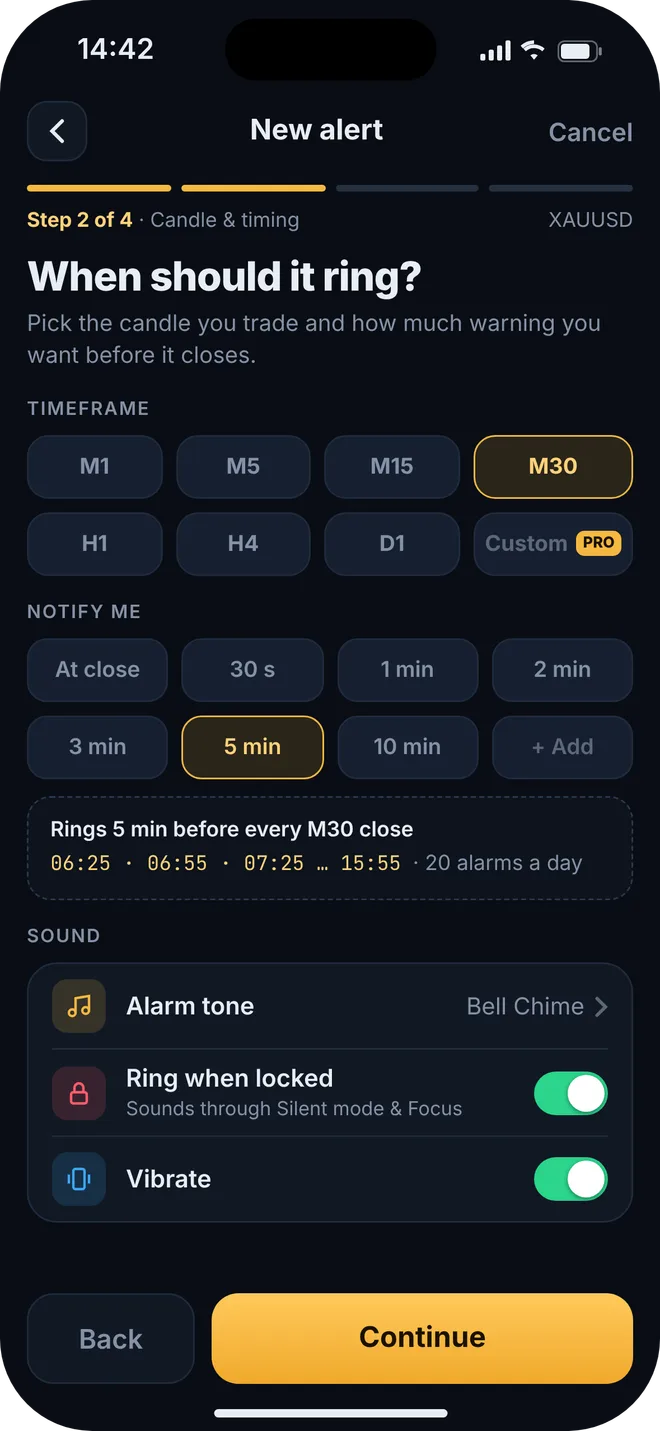
Set it once around how you already trade.
Choose the market and the timeframe you actually trade, from 1 minute to daily.
At the close, or a few minutes early. Add your trading hours and your broker's daily open.
The alarm sounds on the lock screen, through Silent and Focus, with a widget countdown beside it.
CloseBell is in a private beta on iPhone. Leave your email and we'll invite you through TestFlight, Apple's beta app.
Something went wrong. Please try again, or email support@onejobstudio.com.
One email with your TestFlight invite when a spot opens. Nothing else.
iPhone only. Coming soon to the App Store.
Thanks for applying. We'll email your TestFlight invite as soon as a spot opens.
An alarm that rings when a candle on your chosen timeframe closes, or a set time before it, so you're at the screen at the right moment instead of watching the chart all day.
Yes. CloseBell uses iPhone alarms that sound through Silent mode, Focus and the lock screen.
Yes. It includes daily open schedules for brokers like OANDA and FOREX.com, and you can set a custom daily open for any other broker. Daylight saving changes are handled for you.
Sydney, Tokyo, London and New York, on one timeline in your local time, with the overlaps and typical volume shown.
No. CloseBell is a timing tool. It doesn't give trade ideas, signals or financial advice.
Soon. It's in a private iPhone beta first. Apply above to test it through TestFlight, and we'll let you know when it's on the App Store.
All on your iPhone. There's no account to create, and CloseBell doesn't collect any of your data.